
Car charging cable overheating is rarely one problem wearing one name. It is usually one of three: heat aging from a hot parked car breaking down the plastic and internal joints, mechanical failure at the connector where the cable is bent and yanked every day, or a cable that was never rated for the power now being pulled through it. Each has a different fix.
Overheating Is Three Problems Wearing One Name
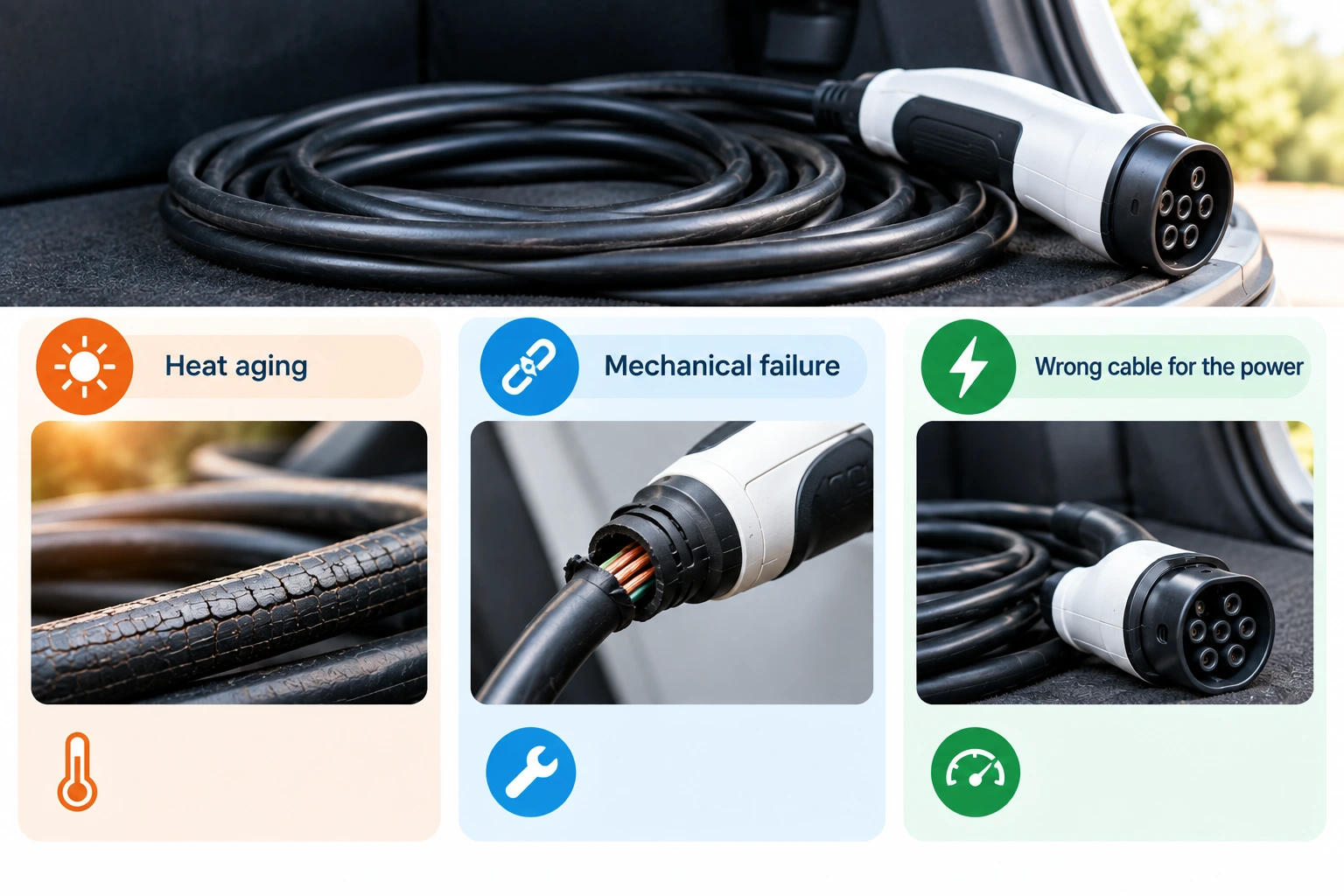
“My charging cable is overheating” or “my charging cable stopped working” usually means one of three separate things, and they get different fixes. Heat aging breaks down a cable’s plastic and internal joints over a summer of sitting in a hot car. Mechanical failure happens at the connector, where bending and tugging concentrate stress until the wires inside fatigue and snap. And sometimes the cable was never the right cable for the power being pulled through it, a mismatch that usually shows up as slow charging or unusual warmth rather than an outright failure. For how the rest of in-car charging decisions fit together, see our car charging and power guide.
Heat Aging: What a Parked Car Does That a Desk Drawer Never Does
A cable left in a car during summer is not living the same life as one plugged in at a desk. A closed car in direct sun heats up repeatedly, day after day, well beyond anything the cable experiences indoors, and that sustained heat cycle is harder on plastic insulation, the outer jacket, and internal solder joints than occasional room-temperature use. Heat makes plastic more brittle over time, and a cable that has spent a summer baking on a dashboard or in a door pocket is older, in wear terms, than its calendar age suggests. This is the same underlying enemy behind wireless car chargers and phones that overheat in summer: a parked car in the sun is a harsher thermal environment than most people account for, and it affects more than one product living inside it.
Mechanical Failure: Why the Cable Dies at the Neck
Cables almost never fail in the middle; they fail at the neck, where the cable meets the connector. That is the point where bending happens every single time the cable is plugged in, unplugged, or the phone is picked up and moved while still attached. Repeated flexing at a sharp angle fatigues the wires inside, the same way a paperclip eventually snaps from being bent back and forth. Good strain relief, the reinforced sleeve or molded collar where the cable meets the plug, is designed to spread that stress out instead of letting it concentrate at one point. It is the single detail worth checking before buying a cable, and it is usually the first thing a cheap cable skips to save cost.
The Wrong Cable for the Power: Data Cables Aren’t Power Cables
Not every USB-C cable that looks the same carries the same capability. A thin cable built mainly to carry data can charge a phone at a trickle just fine, but it was never engineered to carry the higher current that faster charging pulls through it, and pushing power through an undersized cable is where warmth and slow charging both come from. Under the USB-C Power Delivery specification, maintained by the USB Implementers Forum (USB-IF), cables built to carry more than 60 watts are required to contain an embedded chip, called an e-marker, that identifies the cable’s real capability to the charger before power flows. A cable without one is not automatically dangerous, but it is not built for high-power charging either. If your charger seems capped well below what it should deliver, the cable itself is a real suspect; see why your phone charges so slowly in the car and USB-C Power Delivery, explained for car chargers for how to work through it.
Reading the Package: Certification Marks Worth Trusting
Packaging is mostly marketing, but two marks on it mean something specific. A USB-IF certified logo means the cable was tested against the official USB-C specification it claims to meet, rather than just built with the right connector shape. A UL listing mark, or an equivalent recognized safety-testing body, means the product underwent independent safety testing. Neither guarantees a cable will last forever, but their absence is a real signal on an unbranded cable with no other information printed on it at all. This is not an endorsement of any brand; it is a habit of reading the two or three marks backed by an actual testing standard, rather than judging a cable by its color or its box.
Cable Length: The Trade-Off Nobody Explains
Longer is not simply more convenient. Electrical resistance increases with the length of a conductor, a basic property of wire, which means a longer cable of the same gauge delivers slightly less of what goes in at one end to what comes out the other, compared with a shorter cable. In a car, length has a second cost: more cable means more of it coiled, tucked, or trapped somewhere it can be pinched, stepped on, or caught in a door, all of which shortens its mechanical life. The practical answer is not “always buy the shortest cable,” since a cable too short to reach comfortably gets pulled taut and stressed at the connector instead. Match the length to where the device actually sits, mount or cupholder, and no longer.
The Routine: Treating a Car Cable as a Consumable
A cable that lives in a car full-time is doing harder work than any other cable in the house, so treat it like a wear part rather than a permanent fixture. Keep a dedicated, decent-quality cable in the car instead of borrowing your best desk cable back and forth, since the swapping itself adds extra flexing at the connector. Check it occasionally for a stiff or discolored section near the plug, a loose connector, or a section of exposed inner wire. If a cable or a plug is ever hot to the touch, stop using it immediately and replace it; that is not a normal part of charging, whatever caused it. The same heat-versus-storage reasoning applies to other lithium equipment left in a hot car, covered in trunk heat and cabin cold: where a pack should actually live; heat in a parked car is the same enemy in a different product.
FAQ
What actually causes car charging cable overheating?
Almost always one of three things: sustained heat exposure in a parked car aging the plastic and internal joints, mechanical fatigue at the connector from daily bending, or a cable that is undersized for the power now running through it. They look like the same complaint but need different fixes.
Is it normal for a charging cable to feel warm?
Some warmth during charging, especially fast charging, is normal. It should never become hot to the touch, smell like burning plastic, or show discoloration. Any of those means stop using it.
Does cable length actually affect charging speed?
Yes, to a degree. Longer cables have more electrical resistance than shorter ones of the same gauge, which can mean a small drop in what actually reaches the device. For most everyday phone charging the difference is minor; for higher-power charging it matters more.
What is an e-marker chip, and do I need one?
It is a small chip inside higher-capability USB-C cables that tells the charger what the cable can safely carry. You need one if you are charging at higher wattages; a basic phone-charging cable at lower power does not require it. See USB-C Power Delivery, explained for car chargers.
Can a bad cable actually be a fire risk?
A damaged, frayed, or persistently hot cable is a real hazard and should be replaced immediately, not monitored. If a cable or plug is ever hot to the touch, stop using it.
Is a more expensive cable always the safer choice?
Not automatically, but price is a rough proxy for corners not cut: real strain relief, adequate wire gauge for the stated power, and certification testing all cost the manufacturer money. A recognized certification mark on the packaging is a better signal than price alone.
Should I keep a separate cable just for the car?
Yes. A dedicated car cable avoids the extra wear of moving a cable between locations daily and lets you retire it on its own schedule once it shows wear, rather than losing your everyday desk cable to a hot glovebox.